For years, flagship Samsung smartphones have been sold on the promise of “desktop-like” power. Massive AMOLED displays, multi-window support, DeX mode, and enough RAM to rival entry-level laptops suggest these devices should easily replace a PC for everyday tasks. Yet for many users, a basic frustration remains unresolved: managing files efficiently.
Technology analyst Parth recently highlighted that the most meaningful upgrade he made to his Samsung phone was not a complex productivity suite or automation tool, but a lightweight file-management utility called Solid Explorer. The experience, he says, fundamentally changed how his Galaxy device fits into his daily workflow.
The Problem with Power Without Control
Modern Samsung phones are incredibly capable on paper. However, file handling on Android often feels stuck in the past. Moving a PDF, organising cloud folders, or cleaning up media downloads can quickly turn into a multi-step process involving long presses, repeated back navigation, and app switching.
For users who rely on their phones for work documents, content creation, or cloud storage management, this friction adds up. Despite the hardware muscle, the experience still feels “mobile” rather than truly productive.
Dual-Pane File Management: A Desktop Feature, Finally
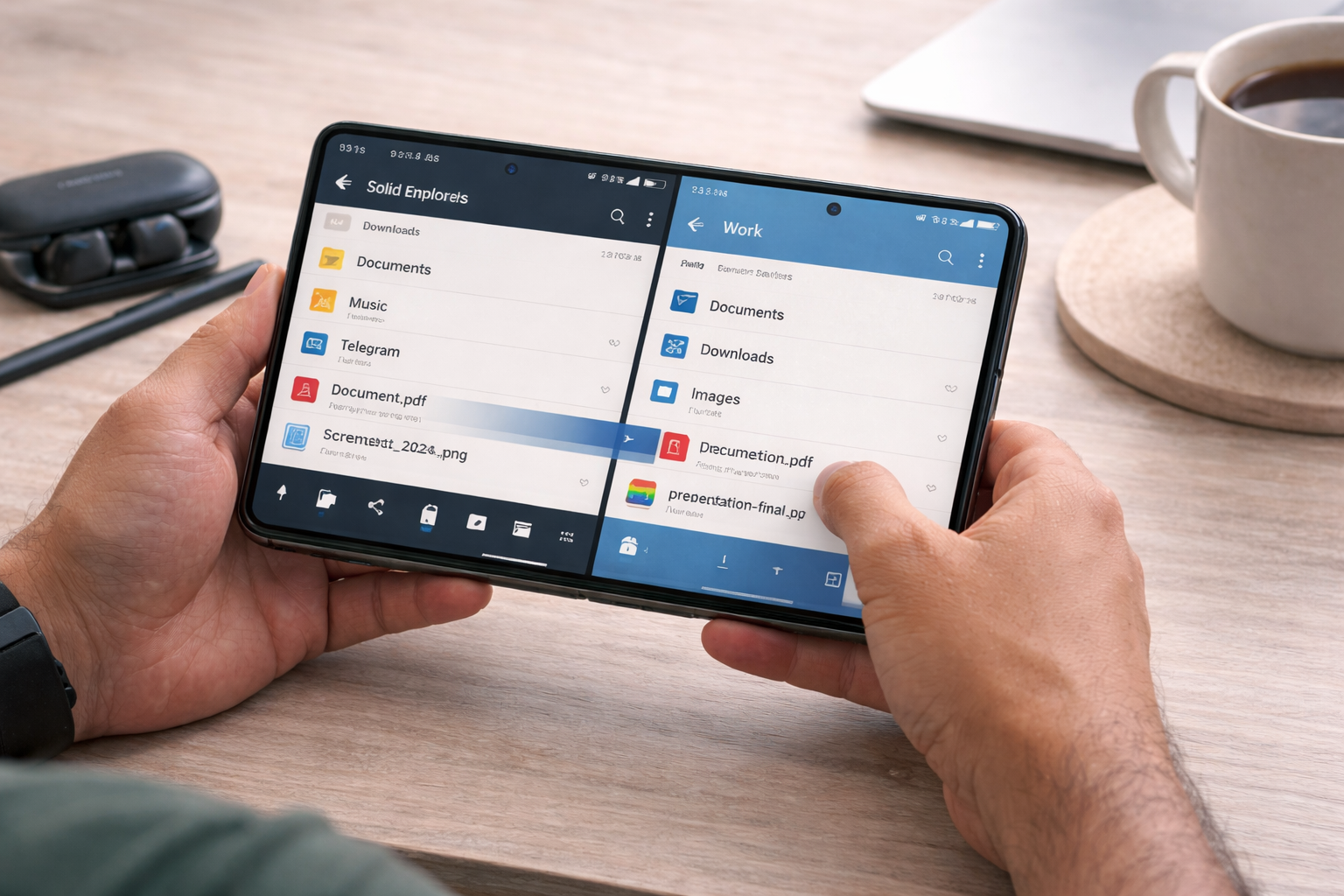
The turning point, according to Parth, came with Solid Explorer’s dual-pane layout. When used in landscape mode—especially on devices like the Galaxy Z Fold or Samsung tablets—the app splits the screen into two independent file windows.
This seemingly small change delivers a major productivity boost. Instead of copying files through multiple menus, users can open one folder on the left, another on the right, and simply drag files between them. The process mirrors how file management works on Windows or macOS.
For tasks like organising hundreds of photos, clearing WhatsApp or Telegram folders, or sorting work documents, the time savings are immediate and noticeable.
One App for All Cloud Storage
Another major advantage is Solid Explorer’s ability to act as a single hub for cloud services. Google Drive, OneDrive, Dropbox, and other platforms can all be accessed from the same sidebar and treated like local folders.
This eliminates the need to juggle multiple cloud apps. Files can be moved directly between cloud services without first downloading them to the phone, saving both time and storage space. For many users, this alone is reason enough to replace standalone cloud apps entirely.
Security That Feels Professional
Samsung’s Secure Folder is popular, but it operates as a separate environment. Solid Explorer takes a different approach by integrating AES-256 encryption directly into the file system. Encrypted files become locked archives that remain protected even when moved to a PC or uploaded to the cloud.
This makes it particularly useful for sensitive documents such as IDs, financial records, or private media, offering a “set it and forget it” level of security without changing how users interact with their phone.
Design That Matches Flagship Hardware
Beyond functionality, Solid Explorer also fits aesthetically with Samsung’s premium devices. Support for Material You theming, smooth animations, and extensive customization options help the app blend seamlessly into One UI.
From accent colors to folder views and dark mode, the experience feels polished rather than utilitarian—a small but important detail for users who spend hours on their devices.
What This Means for Samsung Users
The takeaway is clear: unlocking true productivity on a Samsung flagship doesn’t always require heavy software or complex tools. Sometimes, a well-designed utility can do more than an entire suite of apps.
For Galaxy Z Fold, Tab S, and even standard Galaxy S users, Solid Explorer demonstrates how much untapped potential still exists within Android’s ecosystem. It bridges the gap between mobile convenience and desktop efficiency, finally allowing Samsung’s powerful hardware to shine.
In an era obsessed with “all-in-one” apps, this serves as a reminder that the smartest upgrades are often the simplest ones.